Introduction
Outlook is a popular application for organizing emails, contacts, calendars, and other vital information. All this data may be saved in PST files, which users occasionally password-protect. Password security is important, but it might be an issue if someone forgets the password and can’t get into an old PST file.
In this case, a PST password remover can help. Instead of continually attempting multiple passwords, customers can utilize specialist software to erase or reset the old password.
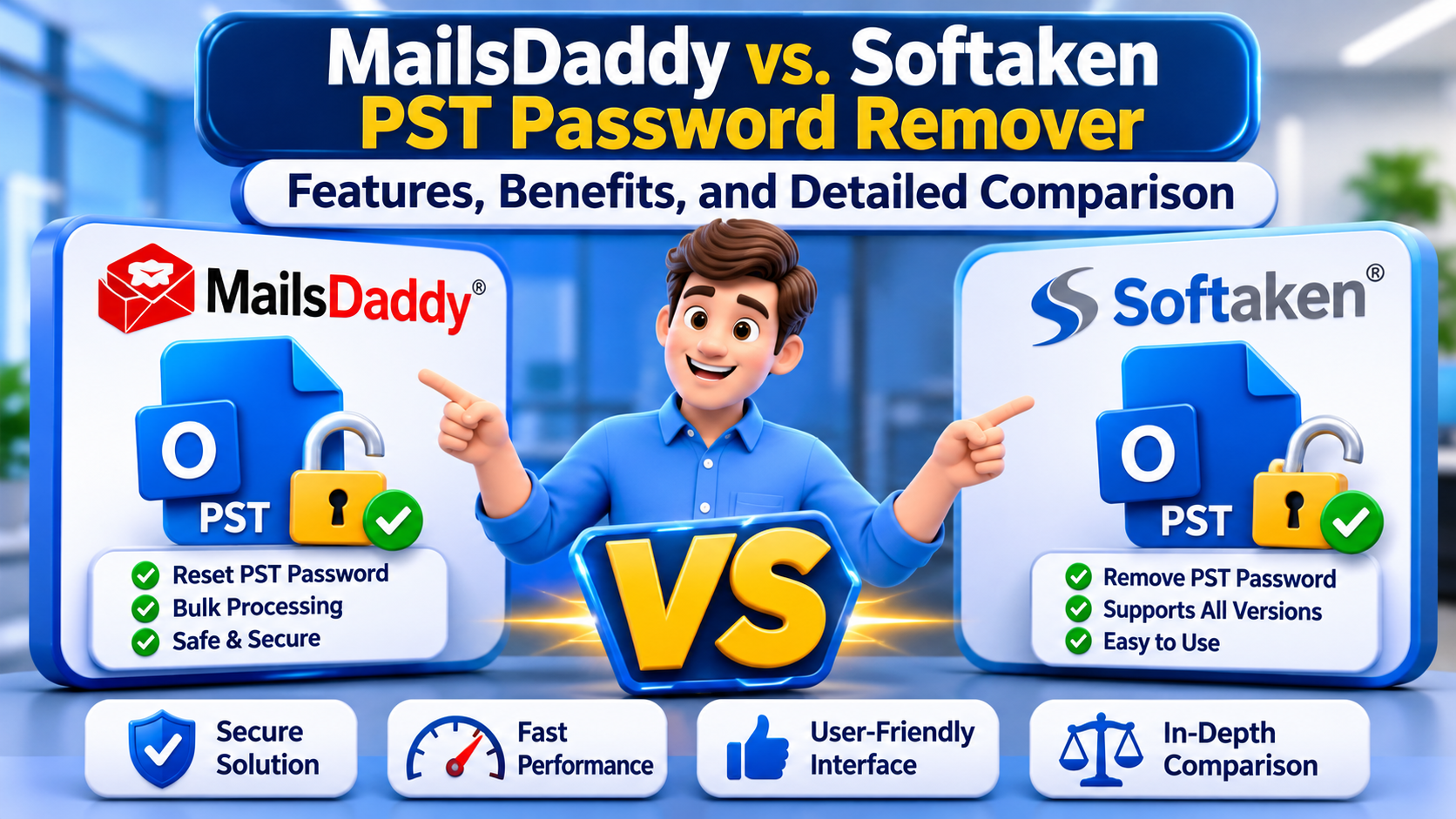
For this goal, two software programs have been developed: MailsDaddy PST Password Remover and Softaken PST Password Removal. Both provide alternatives to deal with password-protected PST files; however, there are significant variations in their functionality and working techniques.
Now let’s evaluate both apps based on functionality, compatibility, working method, and general usefulness.
1. Introduction to MailsDaddy PST Password Remover
MailsDaddy PST Password Remover is a utility for those people who forget the password of their Outlook PST file. It offers to erase the old password protection or to assign a new one without the need for the original one.
The program supports ANSI and Unicode PST formats and can work with multilingual passwords. It also previews the PST folder structure. So, users may examine the mailbox content before starting.
Another use is that you don't need to have Microsoft Outlook installed. Users may work with their PST files directly in the program.
It is a good option for people who are seeking a simple solution to recover forgotten PST passwords.
2. What is Softaken PST Password Removal?
Another choice for those who want to reset or delete passwords from Outlook data files is Softaken PST Password Removal.
One nice feature of this program is the File and Folder Selection modes. Users can upload a single PST file, or they can pick a folder that contains many PST files. This is useful when you have numerous protected files that need attention.
The software supports ANSI and Unicode PST formats, as well as multilingual passwords. It also gives several Remove and Reset choices for users to select the operation they desire.
Since it doesn’t require Microsoft Outlook installation, users may remove the password without setting up an Outlook account.
3. Features Comparison Table: MailsDaddy vs. Softaken
Before taking a look at each feature in depth, here is a short comparison of the two programs.
Features MailsDaddy Softaken
PST Password Removal Yes Yes
Password Reset Yes Yes
Bulk PST Processing Check supported workflow Yes
ANSI PST Support Yes Yes
Unicode PST Support Yes Yes
Multilingual Passwords Yes Yes
Complex Password Support Yes Yes
Outlook Installation Not Required Not Required
PST Folder Preview Yes File status display
File Selection Mode Yes Yes
Folder Selection Mode Check product version Yes
Windows 11 Support Listed Check latest requirements
Free Demo Available Available
The table is a rough sketch. Depending on the version of the software, certain settings may vary; thus, it’s important to review the official product documentation before purchase.
4. In-depth comparison of key features
Delete & Reset Password
Both programs are mainly designed to let users open password-secured PST files.
MailsDaddy gives you the choice to erase the old password or set up a new one. Users can pick the operation they want depending on their needs.
Softaken additionally offers Remove and Reset options. This comes in handy for those who wish to manage lost PST passwords without having to input the original password.
Both apps fulfil the fundamental needs of PST password eradication. The decision primarily depends on the extra features a user requires.
Multiple PST File Support
It becomes time-consuming to manage many PST files at a time, as each file needs to be processed independently.
MailsDaddy provides a straightforward technique to import a PST file and apply the desired password action. Users should verify the current version for available batch-processing options.
Softaken provides File and Folder modes. Users can upload PST files either individually or pick a folder that contains numerous PST files. This provides simpler file selection when working with several PST files.
Folder mode might be handy for those who often work with various Outlook data files.
Unicode and ANSI support
PST files are in either ANSI or Unicode format. Different Outlook versions employ both formats; therefore, you should consider compatibility while choosing a password removal program.
MailsDaddy supports ANSI and Unicode PST files. Softaken also supports these formats.
With that said, people working on distinct Outlook PST files can choose any program as long as the files fulfill the corresponding software criteria.
Complex & Multilingual Password Support
Some people generate passwords using unusual characters, digits, or letters from other languages. If you forget these types of passwords, you may be locked out of an old PST file.
MailsDaddy enables multilingual passwords and varied combinations of passwords.
Softaken also supports complicated and multilingual PST passwords. It is supposed to remove or reset password protection without requiring users to know the original password.
Both programs provide valuable alternatives here, particularly for users dealing with older PST files or PST files in various formats.
Outlook installation requirements
Not everyone has Microsoft Outlook installed on their PC. Some customers have only PST backup files, and they want to view or manage them.
MailsDaddy is an independent tool and does not need Outlook to be installed for its password erasure operation.
Softaken has independent functionality too. Users may add their PST files and perform the essential operation without the need to install Microsoft Outlook.
This makes both apps useful for folks who don’t use Outlook routinely.
View and choose files.
It is very crucial to select the right PST file, especially if you have many backup files on the same machine.
MailsDaddy shows a glimpse of the PST folder structure. You can have a look at the various mailbox folders before you start the procedure.
Softaken shows the inserted PST files and their state. File and Folder modes make it easier to choose the files you want to process.
Files may be selected in both apps, but their interfaces and methods of selection are distinct.
5. System Requirements and Compatibility
Check Compatibility: Before installing any PST password removal tool. Some tools may offer beneficial capabilities, but they also need to support the operating system and PST format utilized.
MailsDaddy supports the latest versions of Outlook. It supports Outlook 2024, 2021, 2019, 2016, and older versions. It also lists Windows 11, 10, 8.1, 8, and 7 as part of the listed requirements.
Softaken supports PST files written by many editions of Outlook, including outdated versions of Outlook. Users should validate that it matches the most recent system requirements for their Windows version.
Both programs accept ANSI and Unicode PST formats and do not require Outlook to be installed.
6. How the two applications work
Simple working approach; can make a great impact, especially for people who are not accustomed to sophisticated applications.
How to Use MailsDaddy:
Download and install the app.
Launch the program on your Windows PC.
Browse and choose the appropriate PST file.
Display the PST folder structure in the program.
Click the option to remove the mandatory password.
Carry out the process and inspect the generated file.
How to use Softaken:
Download and install the program.
Select either File mode or Folder mode.
Browse and add the PST files you want.
Check the file details and status shown.
Choose Remove or Reset.
Click "Process Now" to begin the operation.
Check the output after processing.
The simple method in both applications. But Softaken also offers File & Folder modes separately to offer a choice to users while handling numerous PST files.
7. Benefits of using a PST password removal tool
A specialized application can make it simpler for users to remove their original passwords by handling password-related chores.
Typical advantages include:
Easy Process: Users may follow a step-by-step approach instead of spending time attempting different password combinations.
No Outlook Installation: Standalone programs enable users to deal with PST files without the need to install Microsoft Outlook.
Multiple File Handling: Batch or folder selection options in the software can enable users to manage multiple PST files easily.
Diverse PST formats: ANSI and Unicode support ensures interoperability with diverse Outlook data files.
Password Reset Options: The user can either deactivate password protection or establish a new password based on the available capability.
Easy Interface: A straightforward interface assists consumers in finishing the procedure without having sophisticated technical understanding.
Always retain a backup of the original PST file before doing any password-related activity.
8. Which software to select?
Depending on how you maintain your Outlook data files, you will use one of these two programs.
If you need PST folder preview, password removal, password reset, and compatibility with new versions of Windows and Outlook, then MailsDaddy is a good choice.
Softaken can be a good alternative if you want to have several modes for File and Folder selection and also want to handle more than one PST file in the same program.
Both utilities handle ANSI and Unicode formats, multilingual passwords, and password removal without the need to install Microsoft Outlook.
Check the latest product details, demo limits, supported OS systems, and pricing before making a final decision.
Conclusion
It can be quite upsetting to lose a PST password, especially when the file contains essential emails and other mailbox information. There are fortunately programs for password removal that solve this problem in a different method.
Both MailsDaddy and Softaken include password removal and reset features and handle ANSI and Unicode PST files. They differ in a few things, however, such as the ways to choose files, the options for viewing them, and the facts about compatibility that are presented.
Softaken has File and Folder modes independently. MailsDaddy shows a PST folder structure preview and compatibility with the latest Windows and Outlook versions.
Neither of the applications has to be the perfect choice for every user. Users may check out their actual features and test the sample versions offered to decide which one is better for their requirements.
Visit Website: https://www.softaken.com/outlook-pst-password-removal