Microsoft 365 has become an important part of daily business operations, with organizations relying on cloud-based email and collaboration services to manage communication and business information. As companies grow, restructure, merge, acquire new businesses, or change their IT infrastructure, they may need to move users and mailbox data from one Microsoft 365 tenant to another.
A tenant-to-tenant migration can involve a significant amount of data. Business emails, attachments, contacts, calendars, and folder structures may contain years of important information that users need after moving to a new environment. Managing this information manually can require considerable administrative effort, particularly when an organization has many user accounts to migrate.
The complexity increases when administrators need to plan migration schedules, select specific mailbox data, authenticate source and destination accounts, and ensure that migrated information remains properly organized. Different organizations may also have different requirements. Some may need to migrate complete mailboxes, while others may only want selected folders or data from a particular date range.
SysInfo Introduces Microsoft 365 Tenant Migration Tool
To address these migration requirements, SysInfo has introduced its Microsoft 365 Tenant Migration Tool, designed specifically to help IT administrators transfer mailbox data from one Microsoft 365 tenant to another.
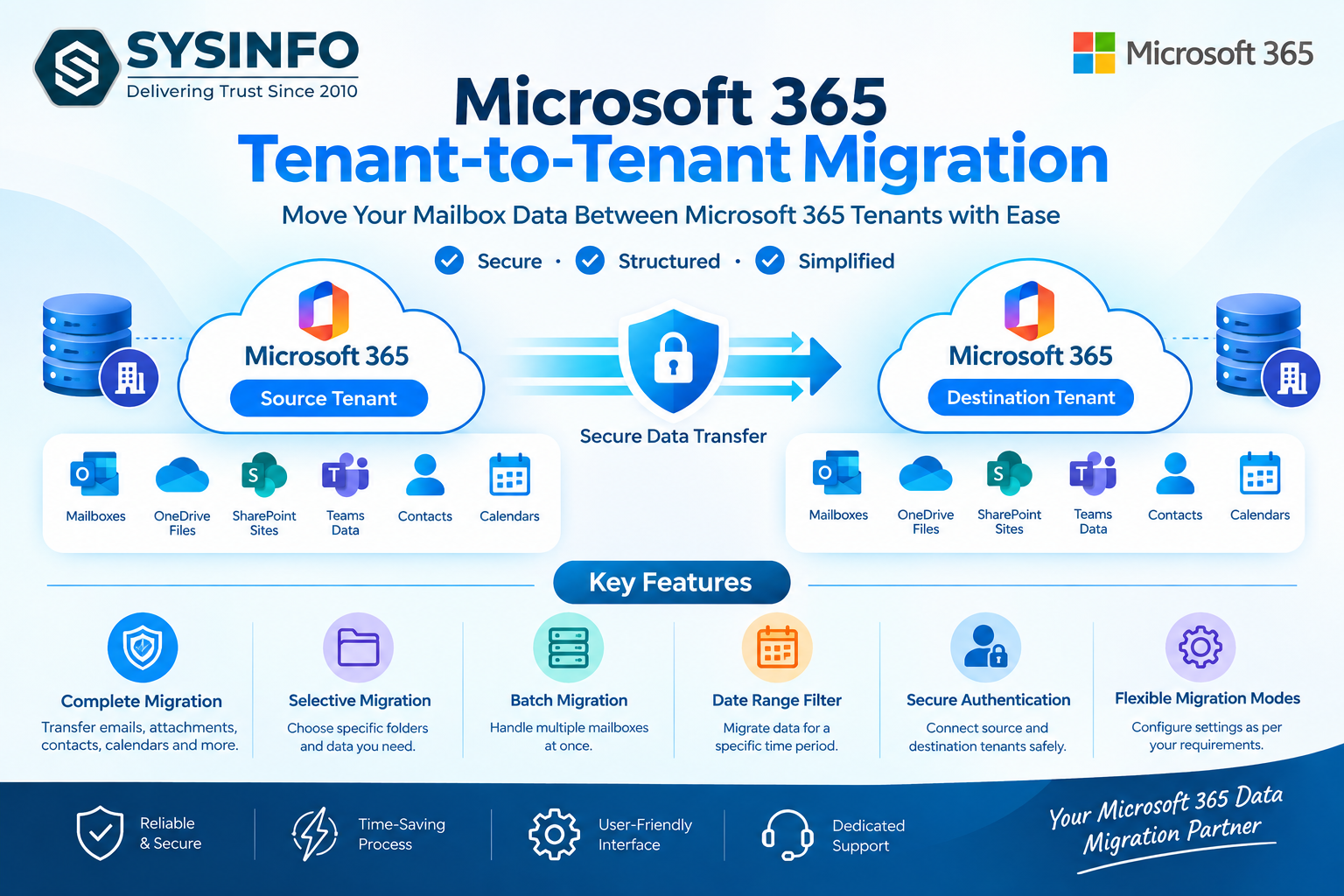
The tool provides a centralized workflow for configuring source and destination accounts, selecting mailbox data, applying available filters, and carrying out tenant-to-tenant migrations.
Key Features
Microsoft 365 Tenant-to-Tenant Migration
The tool enables administrators to migrate supported mailbox data between two Microsoft 365 tenants. This can be useful during mergers, acquisitions, tenant consolidation, organizational restructuring, or other business transitions.
Email and Attachment Migration
The tool is designed to migrate important email messages along with their associated attachments, helping users retain access to their existing business correspondence.
Folder Structure Preservation
Mailbox folders play an important role in organizing business emails. The migration process is designed to maintain the organization of migrated mailbox data so users can navigate their information more easily in the destination environment.
Selective Folder Migration
Administrators can select the required mailbox folders and data instead of necessarily transferring everything. This can help reduce unnecessary migration and provide greater control over the process.
Batch Migration
For organizations managing multiple user accounts, batch migration capabilities can help administrators process mailbox data more efficiently instead of handling every mailbox individually.
Date Range Filter
The date filtering option allows administrators to define a specific period for mailbox data migration where supported. This can be useful when an organization only needs to transfer recent or selected historical emails.
Source and Destination Authentication
Tenant migration requires access to both the source and destination environments. The tool provides an authentication workflow for entering and validating the required Microsoft 365 account details before migration.
Migration Mode
Administrators can choose the appropriate migration mode based on their project requirements. This provides additional control over how mailbox data is processed during the migration.
Who Can Use the Tool?
The SysInfo Microsoft 365 Tenant Migration Tool is intended for a range of users involved in Microsoft 365 data management, including:
IT administrators
Microsoft 365 administrators
System administrators
Managed service providers
IT consultants
Business organizations
Enterprises managing multiple Microsoft 365 tenants
Common Migration Scenarios
Organizations may use a tenant-to-tenant migration solution in several situations.
Mergers and acquisitions: When two organizations combine, users and their mailbox data may need to be moved into a common Microsoft 365 environment.
Tenant consolidation: Organizations operating multiple Microsoft 365 tenants may decide to consolidate their environments.
Business restructuring: Changes in company structure or departments can create a need to move selected user accounts and mailbox information.
Domain changes: Businesses changing their Microsoft 365 setup may need to migrate mailbox data to another tenant.
Organizational separation: When a business division becomes independent, its users and mailbox information may need to be transferred to a separate Microsoft 365 environment.
Simplifying the Migration Process
A Microsoft 365 tenant migration can involve multiple administrative steps. The SysInfo tool brings several of these tasks into a single migration workflow.
Administrators can start by entering the required source and destination Microsoft 365 account details. After authentication, they can select the required mailbox folders and configure available options such as date filtering and migration mode.
Once the settings are reviewed, the migration can be initiated. The tool then processes the selected mailbox data according to the configured migration settings.
Managing Large Migration Projects
Large organizations may need to migrate dozens, hundreds, or even more user mailboxes. Handling each mailbox manually can increase the administrative workload.
Batch-oriented migration capabilities can help IT teams organize larger projects by allowing multiple mailboxes to be handled as part of the migration workflow. Administrators can plan the migration according to their organization's requirements and available resources.
Maintaining Mailbox Organization
Migrating email data is not only about transferring individual messages. Users also depend on folders and attachments to locate important information.
The SysInfo Microsoft 365 Tenant Migration Tool is designed to help maintain the organization of supported mailbox data during the migration process. This can make it easier for users to continue working with their historical email information after moving to the new tenant.
Supporting IT Administrators
Tenant migrations often require coordination between IT administrators, Microsoft 365 administrators, and end users. A dedicated migration application can give administrators a more structured way to prepare and execute mailbox transfers.
By combining account authentication, mailbox selection, filtering, and migration options in one workflow, SysInfo aims to make Microsoft 365 tenant migration more manageable for IT teams.
About SysInfo
SysInfo develops software solutions for data migration, conversion, backup, recovery, and management. Its product range includes solutions for email platforms, cloud services, mailbox data, and other data-management requirements.
With the introduction of the Microsoft 365 Tenant Migration Tool, SysInfo provides IT administrators with a dedicated solution for managing mailbox migrations between Microsoft 365 tenants.
Read More: https://www.sysinfotools.com/o365-tenant-to-tenant-migration.php