Introduction
VCF and CSV are both common formats for storing and organizing contact information, although they serve different functions. VCF files are used to store contact details, while CSV documents are structured and tabular. When users want to transfer address book data to spreadsheets, databases, CRM systems, or other applications, VCF to CSV conversion can provide a practical solution to reformat contact information.
However, there are various misconceptions about the conversion process. Some users fear that the contact files will be automatically stripped of important information, that the original records will be altered, or that the output file will be unusable. Knowing what actually happens can help users arrange their contact data and avoid unnecessary worry.
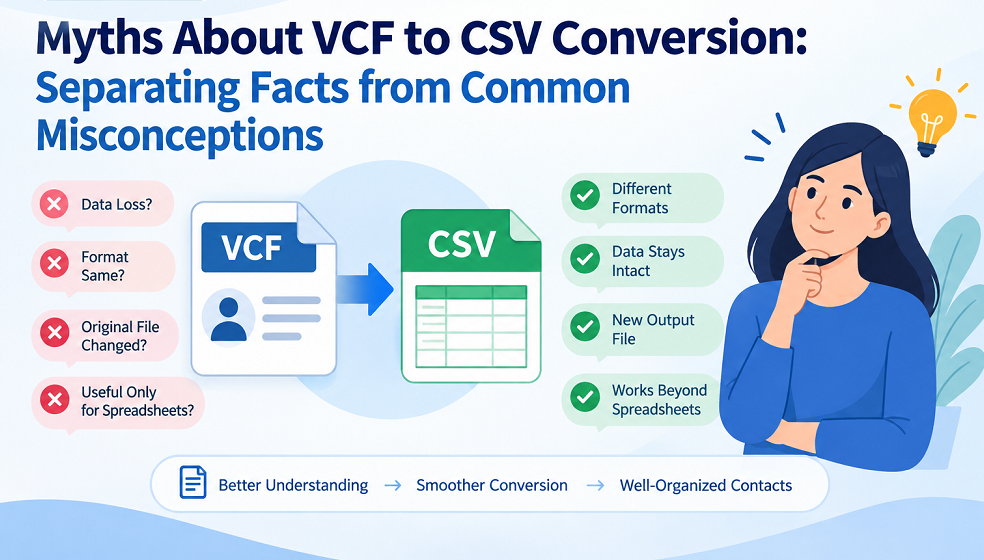
Myth 1: VCF and CSV Store Contact Data the Same Way
Fact: VCF and CSV are alternative formats for storing contact information.
A VCF file, often known as a vCard, can contain a single or multiple contact records. It can include names, phone numbers, email addresses, postal addresses, organizations, notes, and other contact features. In contrast, CSV documents are better used with spreadsheet apps and other structured data management, as they use rows and columns.
For VCF to CSV conversion, contact properties should be correctly mapped into CSV columns. As such, the final structure can differ from the original VCF file.
Myth 2: Contact Information Is Automatically Deleted When Converting VCF to CSV
Fact: Conversion does not mean that your contact information will be removed.
The conversion method determines which contact fields the generated CSV supports and how it maps them. Common fields such as contact names, email addresses, phone numbers, and addresses can usually be stored in distinct columns.
Less common or specialized vCard characteristics can need more attention. Hence, it is recommended to verify the converted contact list instead of expecting the same fields as in the source file.
Myth 3: CSV Format Is Always the Same as the VCF Contact
Fact: The format of the information changes because CSV uses a tabular layout.
A vCard provides information as a single contact record, but CSV files typically represent each contact as a row, with individual properties in columns. Therefore, the visual layout of the data will be distinct by nature.
For example, in a CSV spreadsheet, first name, last name, phone number, and email address can be listed in distinct columns. That doesn’t mean the conversion failed; that’s just how CSV structures contact information.
Myth 4: All VCF Fields Can Be Converted to Standard CSV Columns
Fact: Not all vCard properties have a one-to-one equivalent in a basic CSV structure.
VCF files can contain a lot of contact attributes, including names, multiple phone numbers, email addresses, addresses, organizations, notes, URLs, and other properties. A CSV file has well-defined columns; thus, more complicated or less frequent fields can need to be mapped differently.
Users should determine the contact fields that are relevant to them before converting a large address book. This allows them to figure out whether the generated spreadsheet has the information they need to use it further.
Myth 5: VCF to CSV Conversion Is Useful for Spreadsheets Only
Fact: CSV contact data is valuable in a number of data-management circumstances.
CSV documents have a row-and-column format that is easier to handle in spreadsheet applications, databases, CRM systems, and contact-management software that accept the import of CSV.
For organizations with large address books, converting vCard data to a structured contact list can also make it easier to sort, filter, review, and organize entries.
Myth 6: Original VCF Files Are Changed During the Conversion of Contacts
Fact: Conversion processes often create a new output file rather than overwriting the original VCF data.
Users can generate CSV output and keep their original contact files using dedicated conversion software such as WholeClear VCF to CSV. This can be a better solution to keep the source VCF files as a backup, especially when working with large or important address books.
It also allows users to compare the converted contact data to the original information, if they choose.
Myth 7: Large VCF Contact Lists Are Not Convertible Reliably
Fact: The size and complexity of the source data can affect the conversion process; however, large contact collections are not inevitably inappropriate for conversion.
Address books can contain thousands of contacts, duplicate entries, multiple phone numbers, or different contact fields. With the right planning, you can make the process easier to handle.
Organize the source files, look for unnecessary duplicates, back up, and check the converted output. Breaking down a very large collection into smaller groups can be helpful for checking data.
Myth 8: Checking the CSV Output Is Unnecessary
Fact: The first important thing is to check the converted contact list.
Even if the conversion is successful, users should verify the CSV format before importing it into another application. By looking at a few records, you can often spot missing data, odd formatting, duplicates, or incorrect mapping.
Users can compare sample data from the original VCF files and their respective CSV rows for important address books. This easy verification step can help ensure that the basic contact information is kept.
Conclusion
While converting VCF to CSV affects the layout of contact information, it does not mean that you will lose valuable data or the final file will be worthless. Many misconceptions arise because users do not realize that vCard and CSV formats structure data differently.
With knowledge of the important fields, a backup, column-based formatting, and checking the final CSV contact list, users can approach the conversion process with more confidence. It’s easier to handle converted address book information by inspecting how the contact data is mapped and kept, rather than making assumptions that are commonly used.
Visit here: https://www.wholeclear.com/converter/vcf-to-csv/